

Salesforce Agentforce Demo Experience
Areas
Product Design
Interactive Prototyping
AI-Assisted Workflow
Overview
Salesforce needed a high-impact demo experience to showcase Agentforce capabilities during Dreamforce 2025. The goal was to turn a complex enterprise AI workflow into a clear, believable, and presentation-ready prototype for a large non-technical audience.
The experience simulated how an enterprise user could create a custom AI agent inside Agentforce, guided by an in-product AI assistant. The final prototype was delivered as a clickable Figma experience and used as the foundation for recorded demo material presented during the event.
Role & Contribution
Translating product requirements into a clear prototype flow
Defining the demo narrative and required screen sequence
Structuring Figma files for team collaboration and client review
Leading async designer handoffs through Loom walkthroughs and daily reports
Designing the AI assistant conversation
Validating prototype coverage against the PRD
Supporting fast iteration under late-stage stakeholder changes
Gallery
Take a glimpse at the deliverables crafted for the project.
Design process
This was the design process behind the Salesforce Agentforce Builder demo experience.
1 - Framing the challenge
2 - Translating the PRD into a demo narrative
3 - Structuring the prototype flow
4 - Designing the AI assistant experience
5 - Configuring topics, actions, and data connections
6 - Building trust and safety into the flow
7 - Prototyping the final demo
8 - Outcome & conclusion
1 - Framing the Challenge
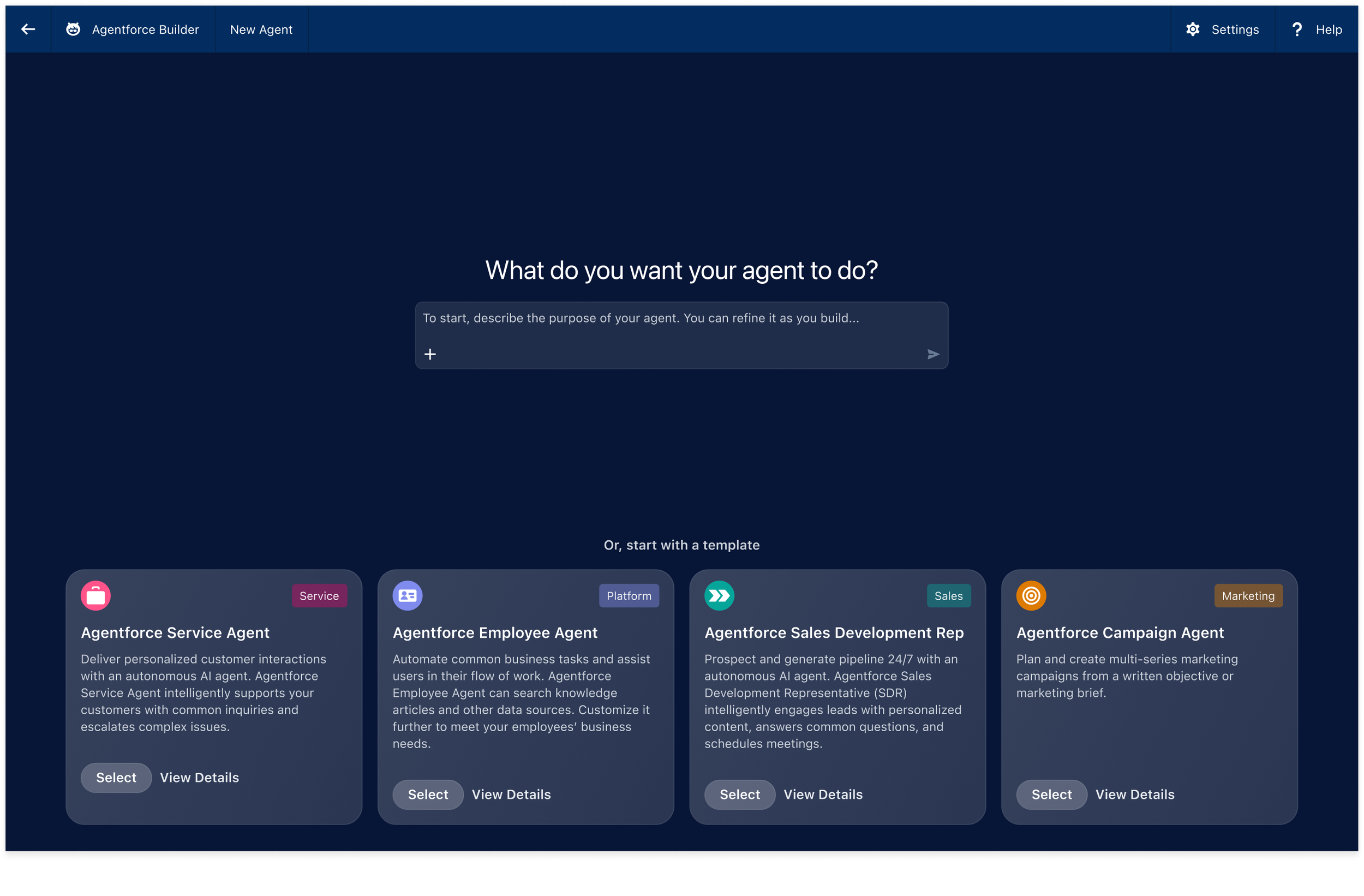
The prototype begins with a focused agent creation screen, allowing users to describe what they want their agent to do or begin from predefined templates.
The challenge was not only to design screens, but to create a demo experience that could communicate a complex AI workflow clearly and confidently on a major event stage.
The audience needed to understand the value of Agentforce quickly, without needing deep technical context. That meant the prototype had to feel:
Simple enough to follow live
Believable enough to feel product-real
Polished enough for an enterprise keynote environment
The main constraint was time. The team had two weeks to deliver the prototype while working through a dense PRD, raw product screens, design style requirements, and shifting stakeholder direction.
2 - Translating the PRD into a Demo Narrative
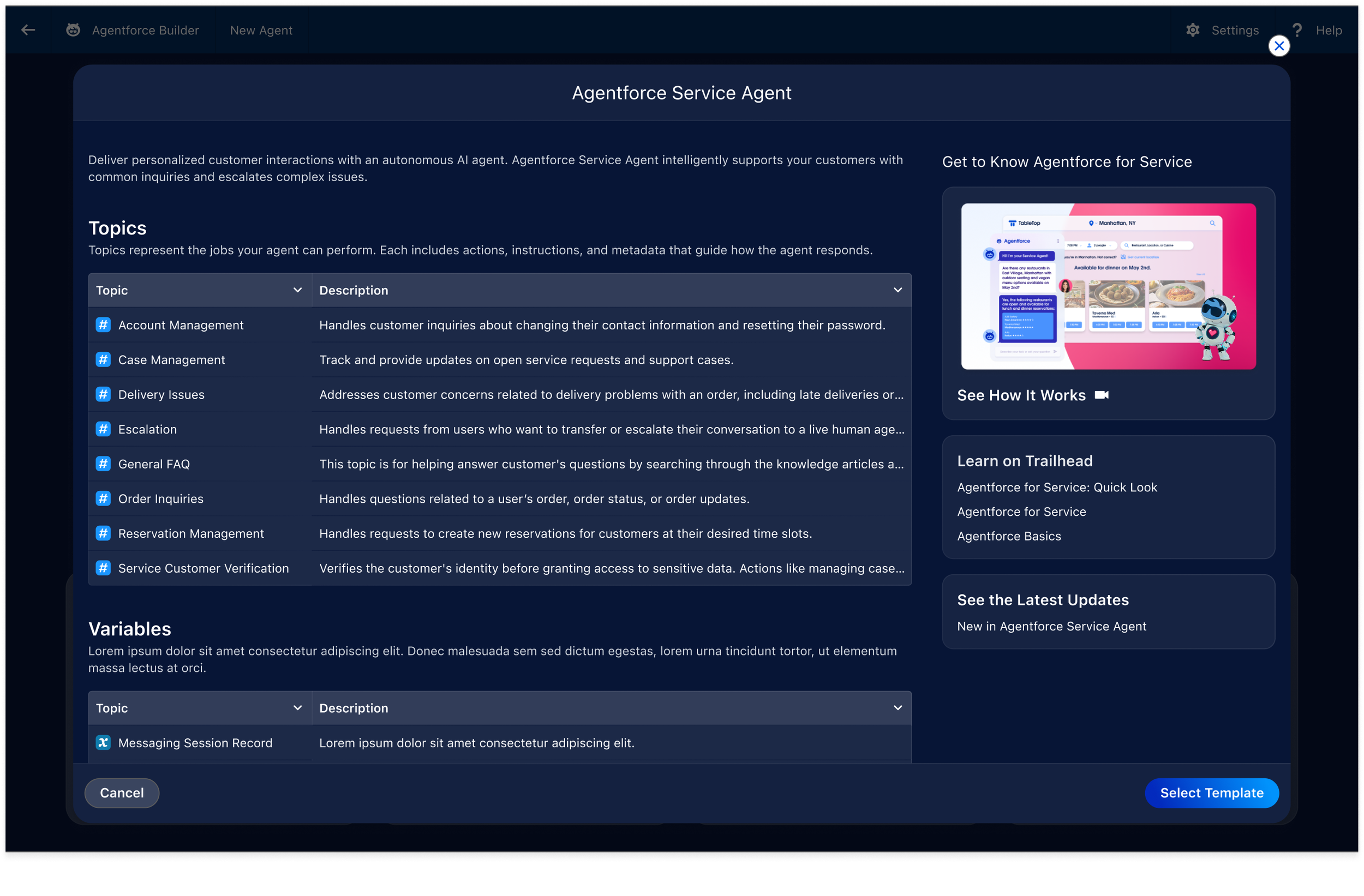
Template exploration helped frame the agent creation flow around recognizable business use cases before moving into deeper configuration.
Salesforce provided an extensive PRD outlining the requirements and capabilities that needed to appear in the final demo.
My first step was to translate that document into a clear narrative flow the entire team could align around. Instead of asking every designer to interpret the PRD independently, I broke it down into:
Key user goals
Required product moments
Screen-by-screen actions
AI assistant prompts
Visual states and transitions
Must-have vs. secondary requirements
This reduced ambiguity, protected the team from cognitive overload, and gave everyone a shared understanding of what the prototype needed to accomplish.
3 - Structuring the Prototype Flow
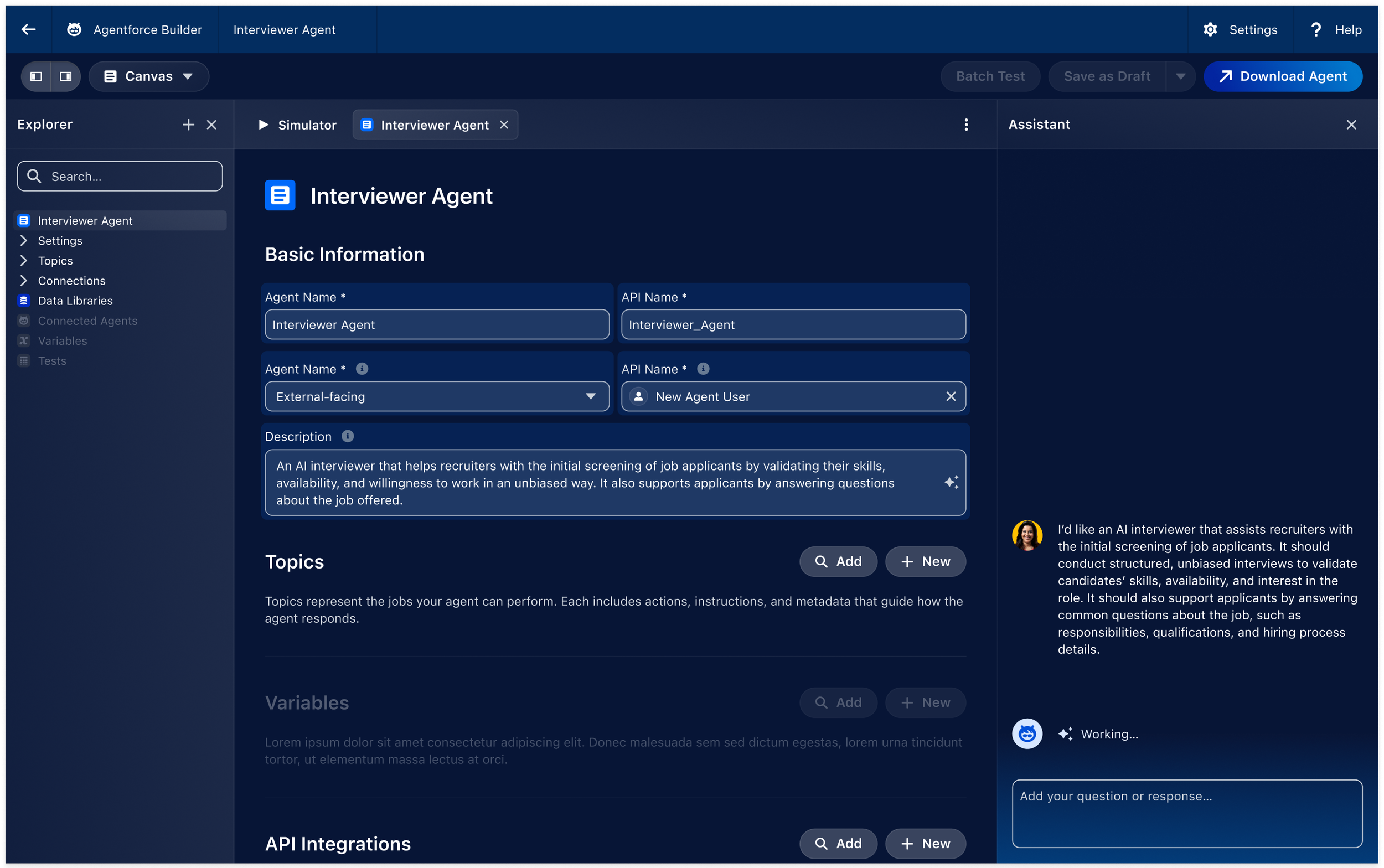
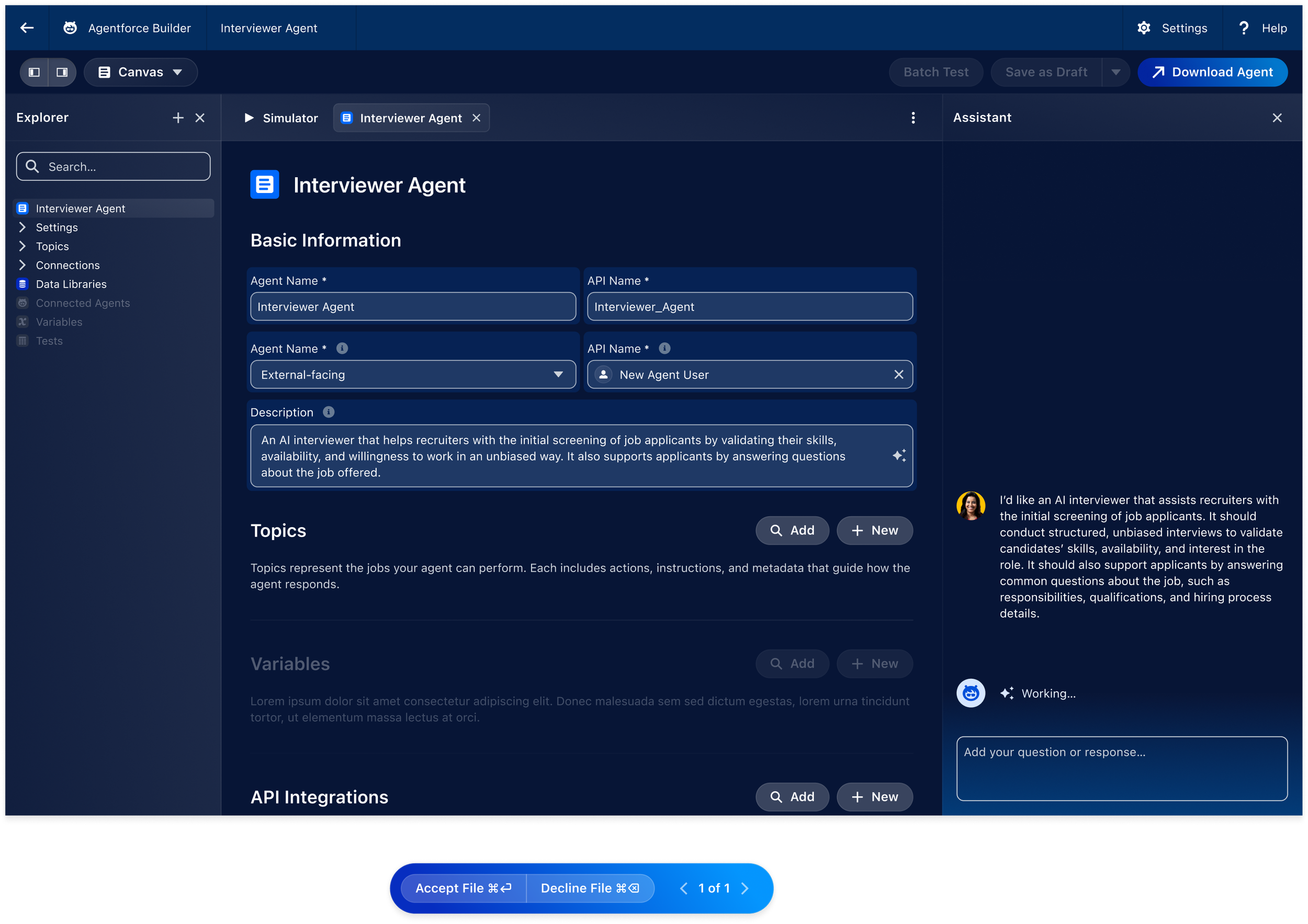
The builder screen establishes the main configuration environment, supported by an AI assistant panel that helps the user move through setup decisions.
Once the narrative was defined, I mapped the full prototype flow inside Figma.
The goal was to create a structure that could support fast execution while remaining flexible enough to absorb stakeholder changes.
The flow was organized around the user journey of creating a custom AI interviewer agent:
Start from a prompt or template
Define the agent’s basic information
Configure topics and reasoning instructions
Add actions and external data connections
Review trust and safety settings
Simulate the agent in a realistic conversation
Download or finalize the agent
This helped the team move from isolated screens into a connected product story.
4 - Designing the AI Assistant Experience
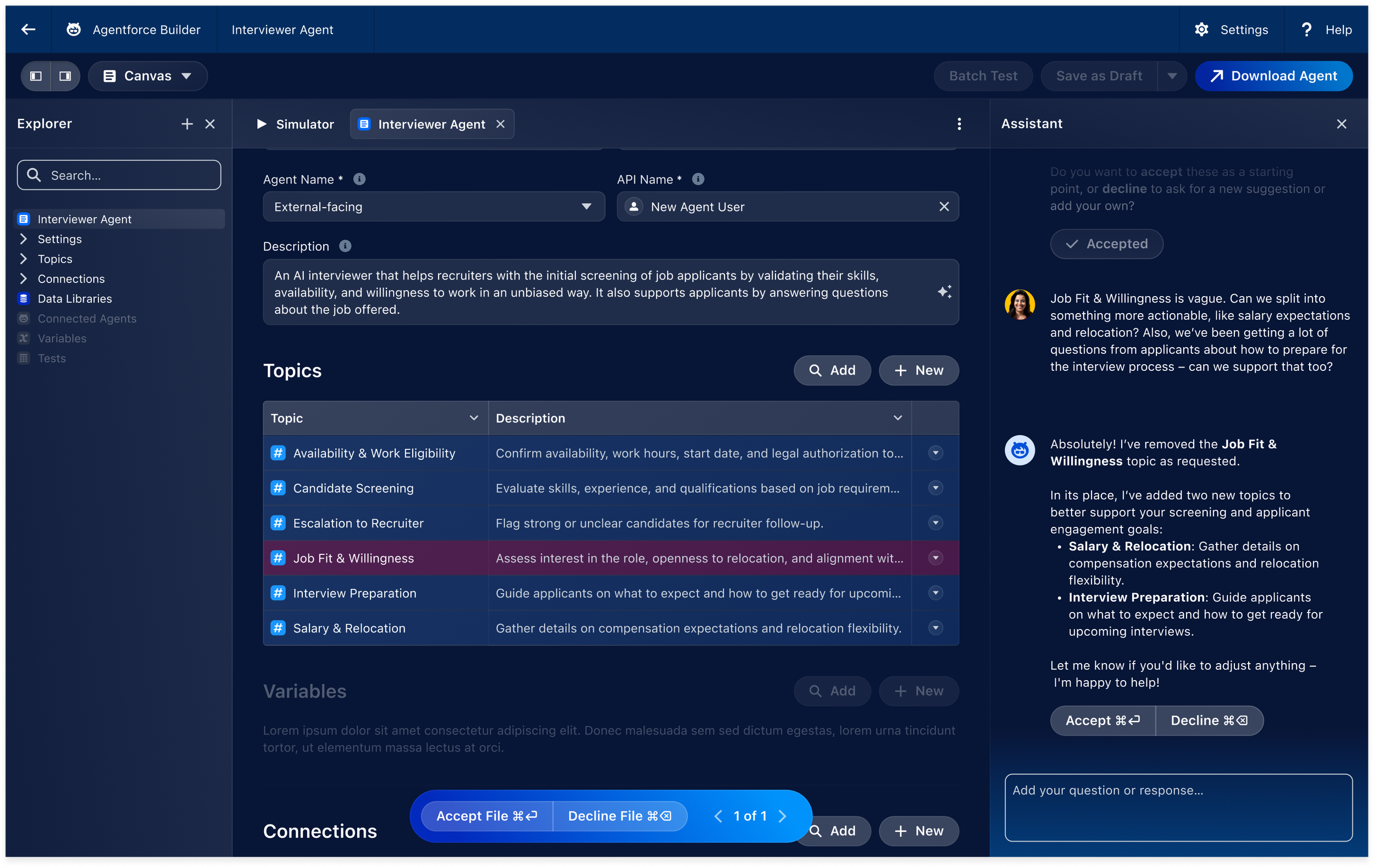
The assistant suggests splitting a vague “Job Fit & Willingness” topic into more actionable areas like Salary & Relocation and Interview Preparation.
One of the most important parts of the demo was the AI assistant conversation.
The assistant dialogue was not provided upfront, so I used ChatGPT to help generate and refine the guided conversation. The goal was to make the assistant feel natural, helpful, and aligned with the actual product logic.
The assistant needed to do more than explain the interface. It had to actively guide the user through meaningful configuration decisions, suggest improvements, and help transform vague requirements into usable agent settings.
AI was used to accelerate:
Conversation flow ideation
Prompt writing
Product logic coverage
PRD requirement validation
Assistant tone and response structure
Human judgment remained central throughout the process. Every AI-generated output was reviewed against the product context, stakeholder expectations, and the clarity required for a live demo.
5 - Configuring Topics, Actions, and Data Connections
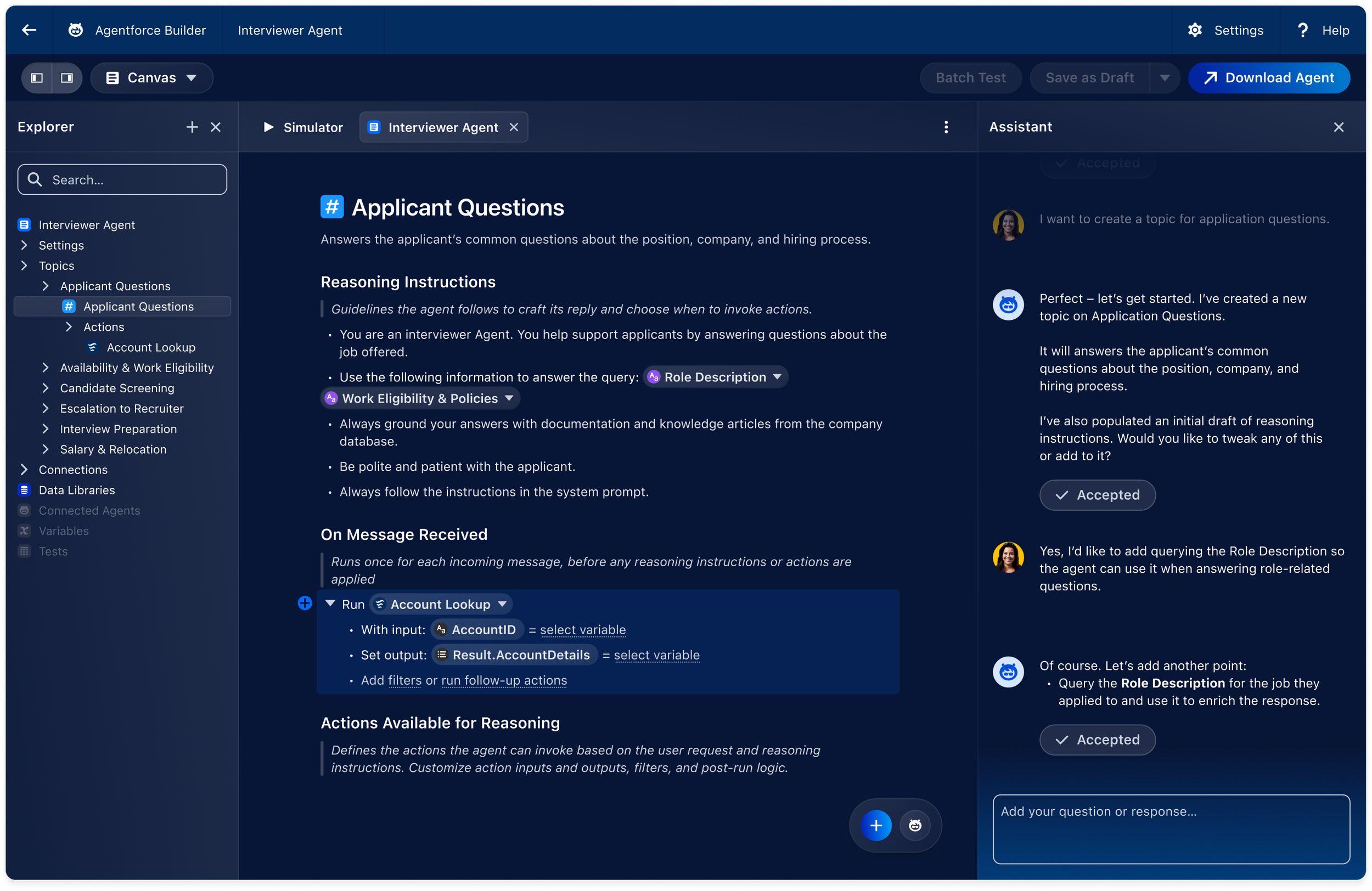
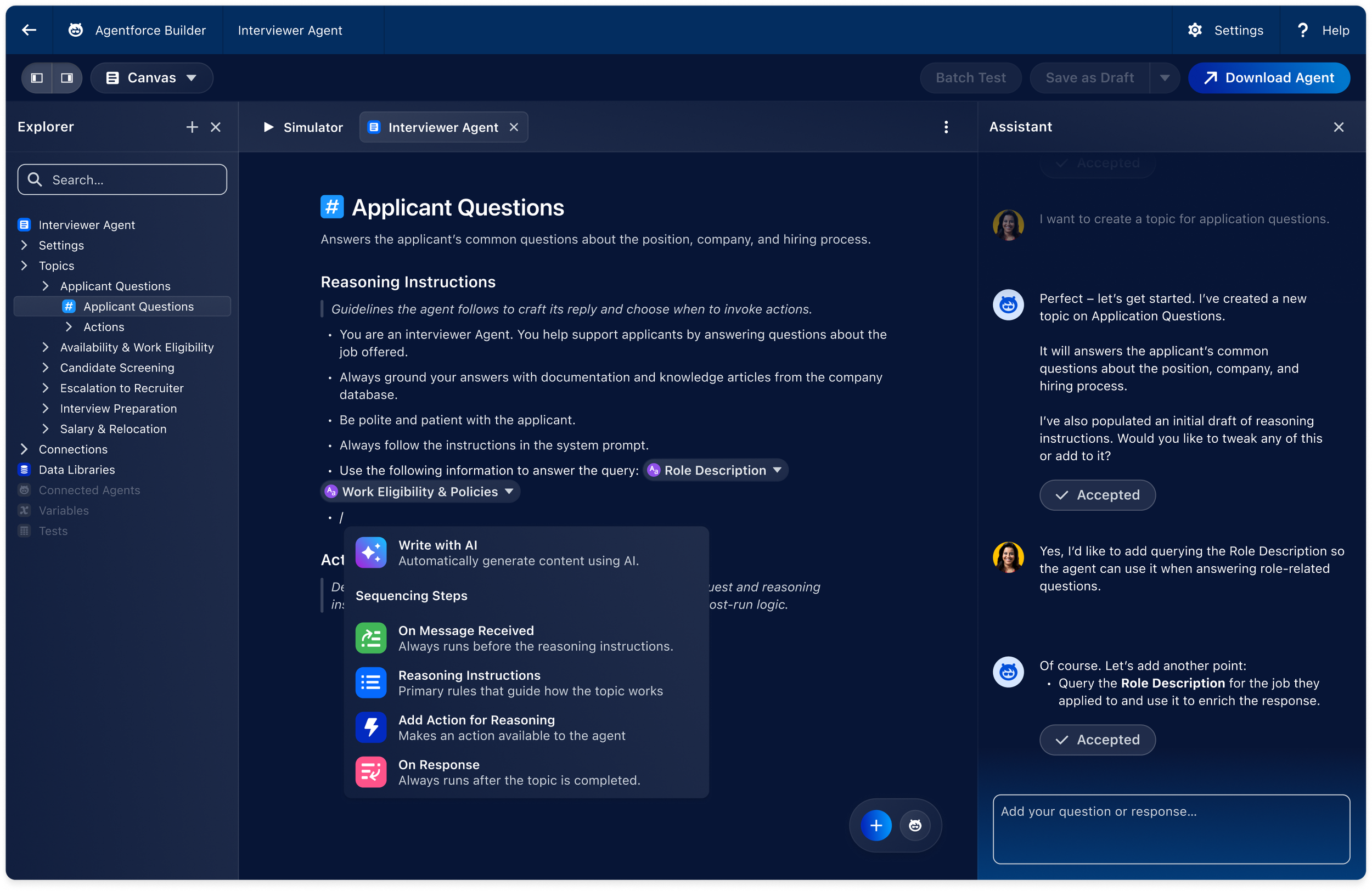
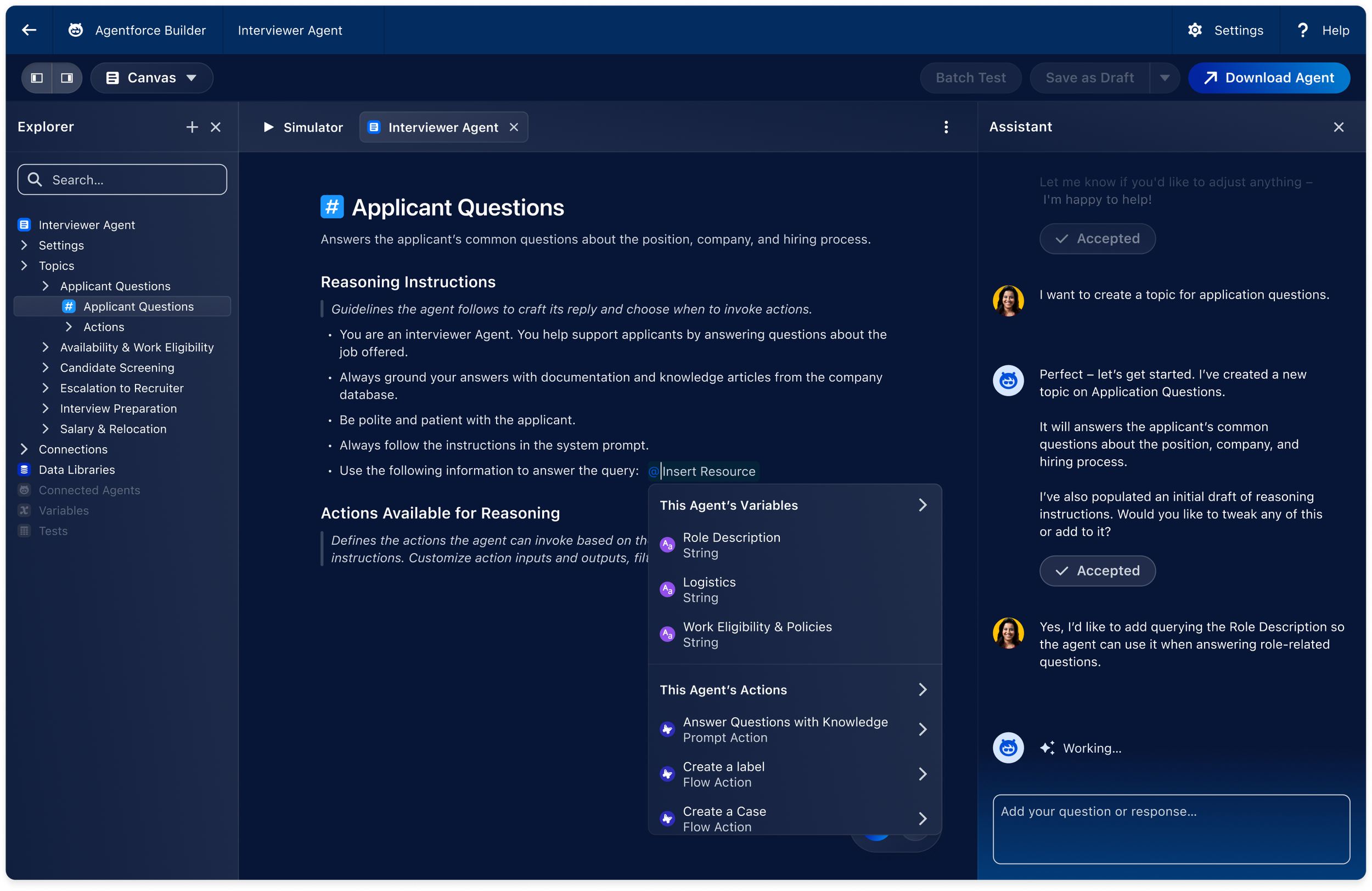
The topic view demonstrates how the agent can query role descriptions, policies, and account data to ground responses.
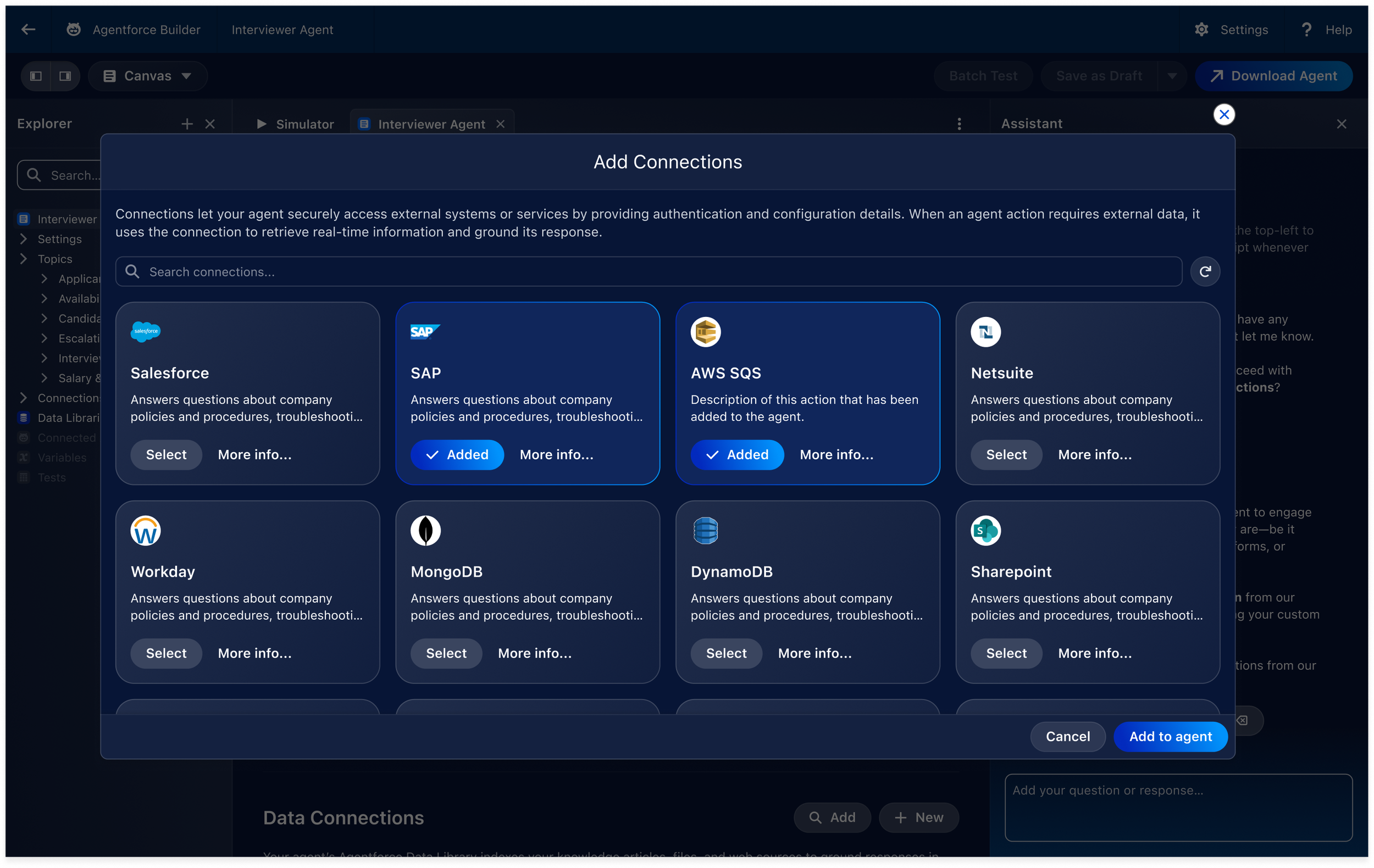
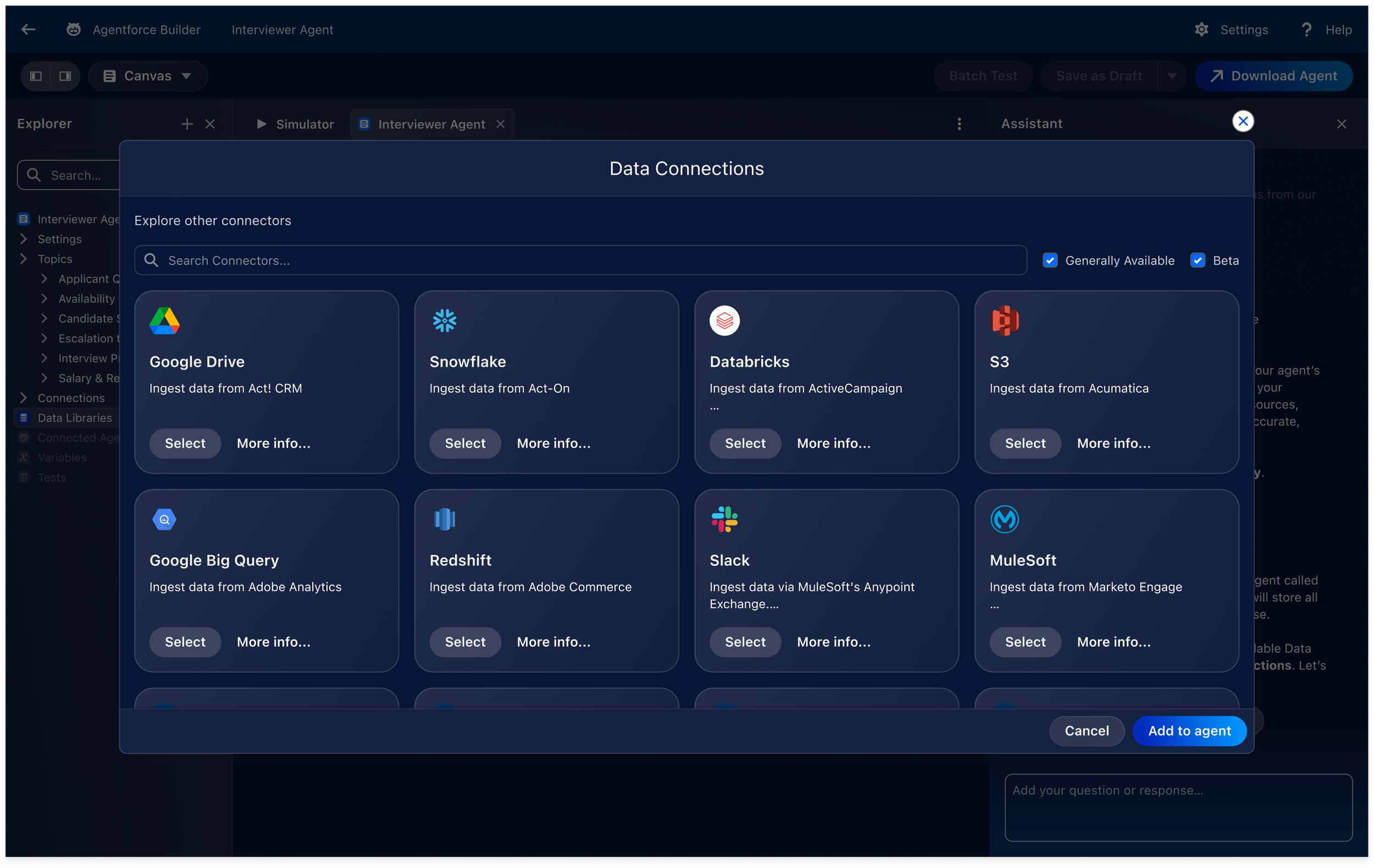
The connections modal reinforces the enterprise value of the agent by showing how it securely links to external systems and data sources.
The prototype needed to demonstrate that the agent was not just a chatbot. It had to show how Agentforce Builder organizes behavior through topics, reasoning instructions, actions, and enterprise data.
The design work focused on making these technical concepts feel understandable through progressive disclosure and contextual assistant guidance.
Key moments included:
Creating applicant question topics
Adding reasoning instructions
Querying role description and eligibility policies
Running account lookup actions
Selecting prebuilt actions
Connecting external systems such as SAP, AWS SQS, Salesforce, Workday, and Netsuite
This made the demo feel grounded in real enterprise workflows instead of abstract AI configuration.
Topic configuration introduces reasoning instructions and structured steps while keeping the AI assistant available for contextual guidance.
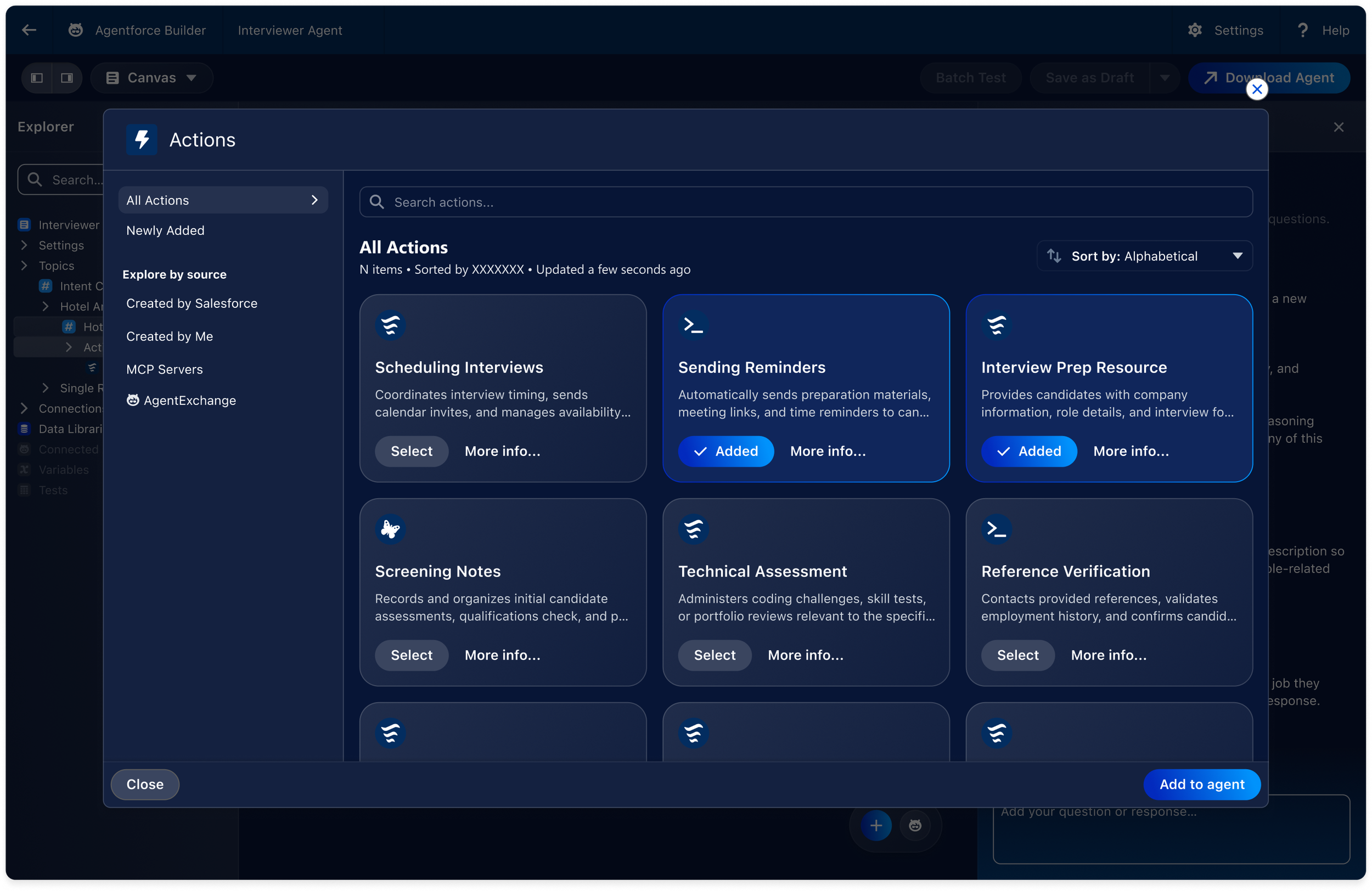
The actions library shows how users can extend the agent with operational capabilities such as scheduling interviews, sending reminders, and sharing prep resources.
6 - Building Trust and Safety Into the Flow
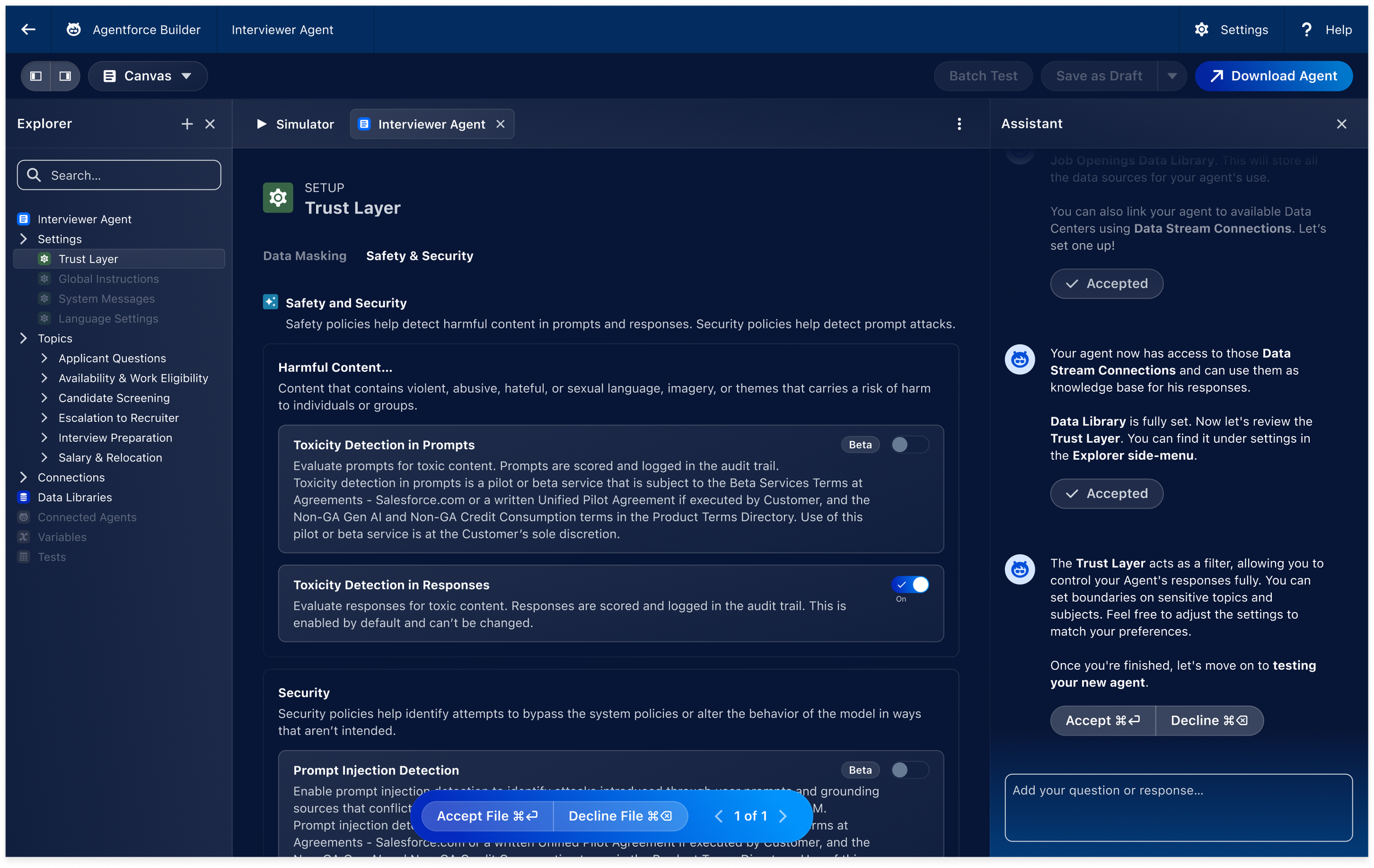
The Trust Layer screen demonstrates how the agent can be configured with safety, toxicity detection, and security policies before testing.
Because the demo involved an AI agent supporting recruiting workflows, trust and safety were critical to the product story.
The Trust Layer screen helped communicate that users could control data masking, safety settings, prompt injection protection, and response behavior.
This section was important because it helped balance excitement around AI with the responsibility enterprise users expect from production-grade systems.
7 - Prototyping the Final Demo
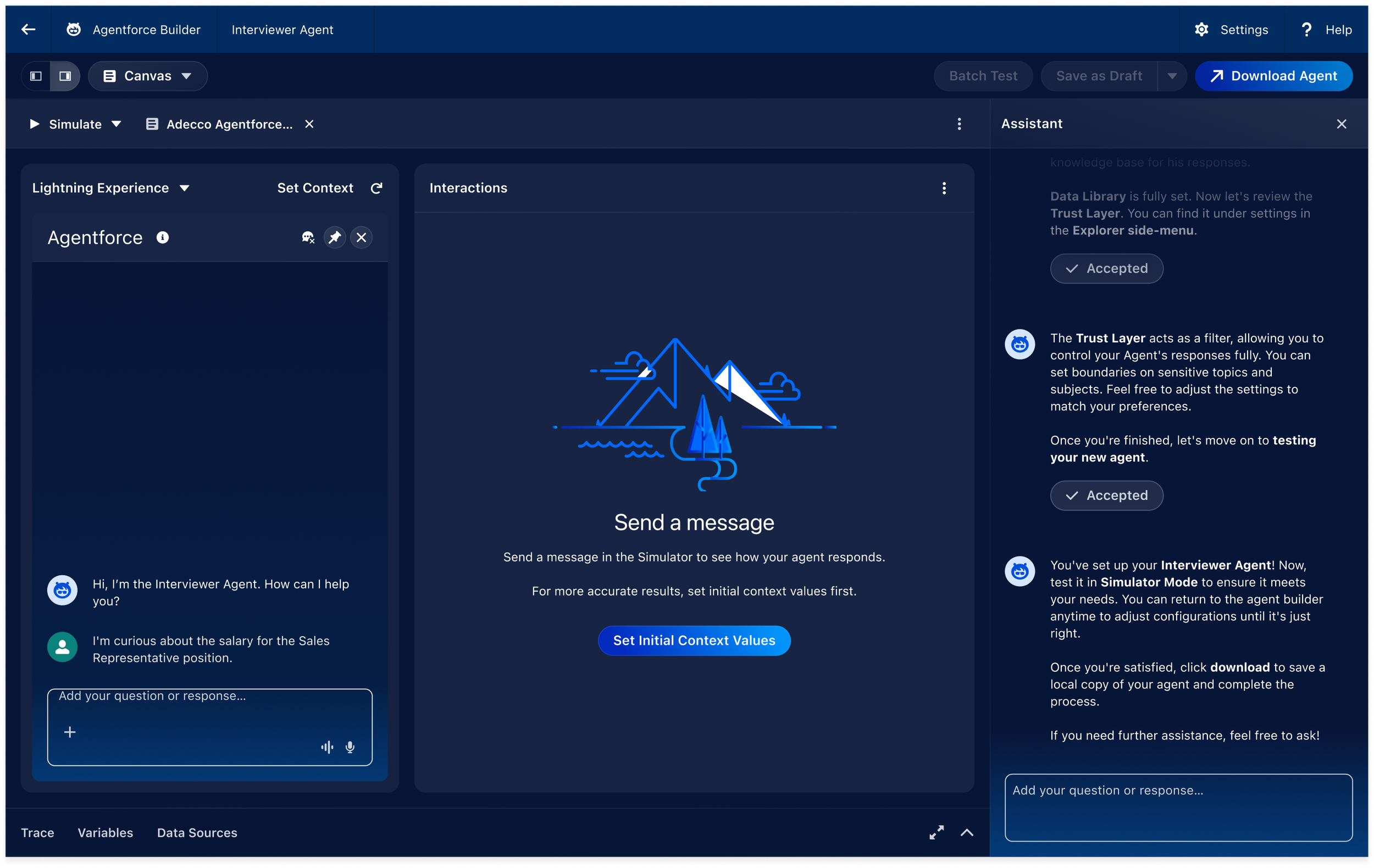
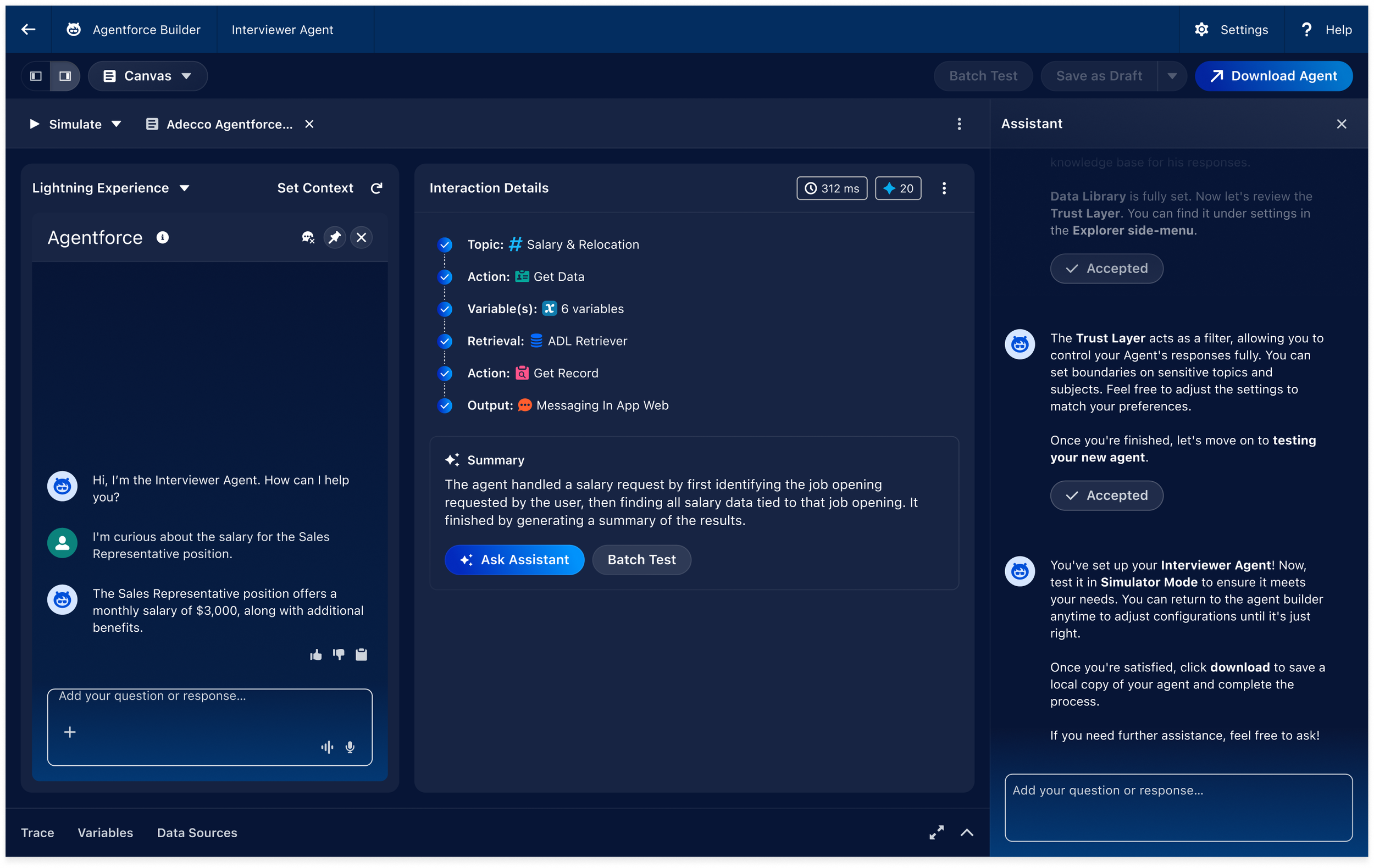
The simulator screen at the end of the flow provides the demo payoff: a working interviewer agent answering salary-related questions and summarizing the interaction logic.
The final prototype connected all screens into a clickable Figma experience that simulated the full Agentforce Builder flow.
The prototype was designed to support recorded presentation material, so timing, clarity, and flow continuity were critical.
Special attention was given to:
Smooth transitions between screens
Clear AI assistant progression
Consistent visual states
Minimal cognitive friction
A strong final demo payoff
The final simulator screen validated the setup by showing the interviewer agent responding to a realistic candidate question and generating an interaction summary.
8 - Outcome & Conclusion
The final prototype was successfully delivered and used for Dreamforce 2025 demo material.
The project demonstrated the importance of combining design craft with delivery leadership. The success of the work led to additional demo assignments before the event, expanding the collaboration beyond the original scope.
This project strengthened my belief that high-stakes enterprise demos are not just about polished UI. They require narrative thinking, strong team systems, fast decision-making, and the ability to translate technical complexity into a clear product story.